Version-verified guide
Valheim Crossplay Guide — PC, Xbox, PS5 and Switch 2 Together
How Valheim crossplay works at 1.0: join codes, version parity, hosting a cross-platform session from PC or console, and the fixes for the joins that fail.
By Valheim Field Guide Editorial Team
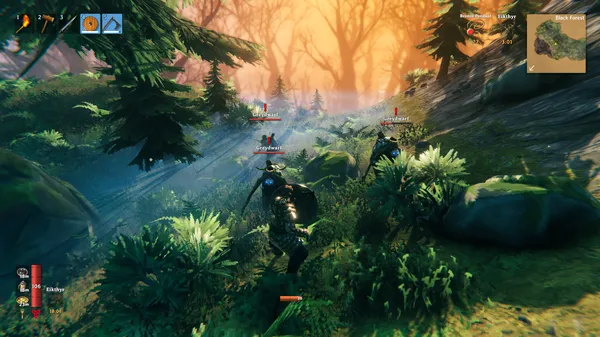
How crossplay works at 1.0
Valheim 1.0 puts PC (Steam and Microsoft Store), Xbox, PS5 and Switch 2 in the same worlds. The mechanism is a join code rather than a shared friends list, which is what makes cross-platform sessions possible at all — nobody has to be on the same network or store.
Two conditions carry almost all of the weight:
- Version parity. Everyone must be on the same game version. If a console patch lags the PC build, cross-session joins can fail until both sides match.
- Crossplay enabled on the host. It is a setting, on PC in the multiplayer options and on console in the world/session settings.
See the PS5 and Switch 2 notes for platform-specific caveats.
Hosting a session
Peer-hosted (a player hosts). Simplest option for a scheduled evening: one player enables crossplay, starts the world, and shares the join code. The world only exists while that player is online, and the host’s connection quality is everyone’s connection quality.
Dedicated server. For an always-on world, run the free dedicated server tool with crossplay enabled so it can issue a join code. You forward UDP 2456 plus 2457 and 2458, or you rent a server and let the panel do it. Full walkthrough: dedicated server guide.
Joining from each platform
| Platform | How players get in |
|---|---|
| Steam (PC) | Join Game screen → enter the code, or add the server by IP for a self-hosted dedicated server |
| Microsoft Store / Game Pass (PC) | Join Game screen → code; crossplay must be on for both sides to see each other |
| Xbox | Multiplayer menu → join with the code from the host |
| PS5 | Multiplayer menu → join with the code from the host |
| Switch 2 | Multiplayer menu → join with the code from the host |
The exact menu wording differs by platform and changes with updates; the join-code path is the constant.
When a join fails
Work through this in order — it resolves the overwhelming majority of cases:
- Compare version numbers in each main menu. A mismatch is the most common cause and the one nobody checks first.
- Confirm crossplay is enabled on the host, then restart the session so a fresh code is generated.
- Re-enter the code. Codes are session-scoped; an old code from a previous evening will not work.
- Dedicated server only: check UDP 2456/2457/2458 are forwarded to the correct internal IP, and that there is no double NAT in the path.
- Still failing? Have one console player try a peer-hosted session instead. If that works, the problem is the server configuration, not the platforms.
Progression and worlds
Worlds are files (.db and .fwl), so a self-hosted or rented world can be copied and moved. Character progression tied to a platform account is a separate question — it stays on the platform where it was created, with one exception: Xbox and PC on the Microsoft Store (Play Anywhere) share the same progression. For any other pairing, check your platform’s account rules before you plan a move. Back the world up before every version update either way.
Frequently asked questions
- Does Valheim support crossplay between PC and console?
- Yes. At 1.0, PC (Steam and Microsoft Store), Xbox, PS5 and Switch 2 can play in the same world, as long as every player is on the same game version and crossplay is enabled on the host.
- How do I join a crossplay session?
- With a join code. The host enables crossplay, the session produces a code, and every other player enters it in the Join Game screen — no shared friends list required.
- Why does my join code not work?
- Almost always a version mismatch or crossplay disabled on the host. Compare the version number in each main menu, re-enable crossplay, then regenerate the code by restarting the session.
- Can I move my world between platforms?
- Worlds are files, so a self-hosted or dedicated-server world can be moved by copying the .db and .fwl files. Character progression tied to a platform account is a different matter: it stays on the platform where it was created, with one exception — Xbox and PC on the Microsoft Store (Play Anywhere) can share the same progression. For any other pairing, check the account rules on your platform before switching.
- Do I need a dedicated server for crossplay?
- No. A player-hosted session works for crossplay. A dedicated server only becomes necessary when you want the world online while nobody is hosting, or when you want a panel to handle ports, updates and backups.
Related guides
- Valheim Connection Troubleshooting — Fix Failed Joins, Lag and Crossplay Drops
A step-by-step checklist for the multiplayer problems that actually happen in Valheim at 1.0: join codes rejected, crossplay players not visible, lag and rubber-banding, and dedicated servers nobody can reach.
Verified Valheim 1.0 - Valheim Dedicated Server Guide — Self-Host or Rent in 2026
How to set up a Valheim dedicated server at 1.0: the free headless server tool, world name and password, port 2456, crossplay join codes, backups, and when renting beats self-hosting.
Verified Valheim 1.0 - Valheim Server Admin Guide — Launch Arguments, Permissions Files and In-Game Commands
Everything a Valheim 1.0 dedicated server admin needs: the full launch argument reference, adminlist/bannedlist/permittedlist.txt permissions, kick/ban/unban commands, and the crossplay mod blocker.
Verified Valheim 1.0